 Speed Dreams is an Open Source motorsport simulation (sim) and it is freely available. Speed-Dreams is brought to you by an international team of developers and artists, who aim to bring the very best of Open Source racing to your PC.
Speed-Dreams simulates a wide range of cars from high-tech Open Wheelers and Super Cars, to 1930's 'monsters'. It includes Grand Prix tracks located around the world, as well as Ovals and Road courses. Am personally a really big fan of rally racing games and am glad to see rally cars and tracks in this game.
Speed Dreams is an Open Source motorsport simulation (sim) and it is freely available. Speed-Dreams is brought to you by an international team of developers and artists, who aim to bring the very best of Open Source racing to your PC.
Speed-Dreams simulates a wide range of cars from high-tech Open Wheelers and Super Cars, to 1930's 'monsters'. It includes Grand Prix tracks located around the world, as well as Ovals and Road courses. Am personally a really big fan of rally racing games and am glad to see rally cars and tracks in this game.Speed-Dreams is available for Windows and Linux, and available for free download from
http://www.speed-dreams.org
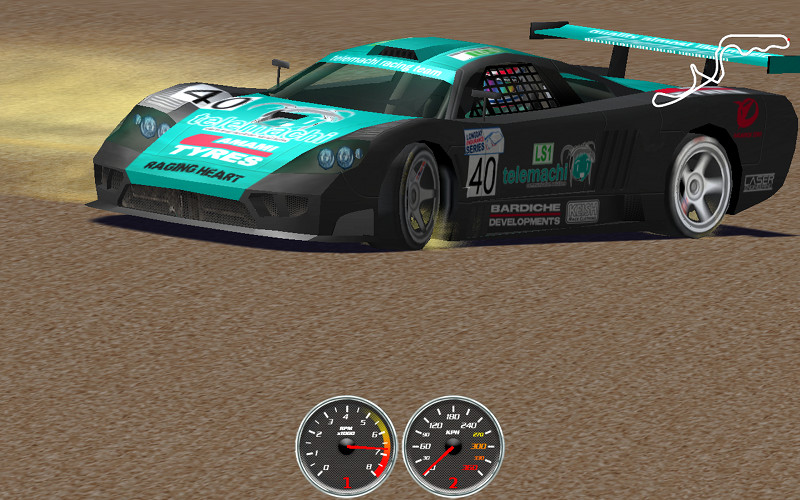
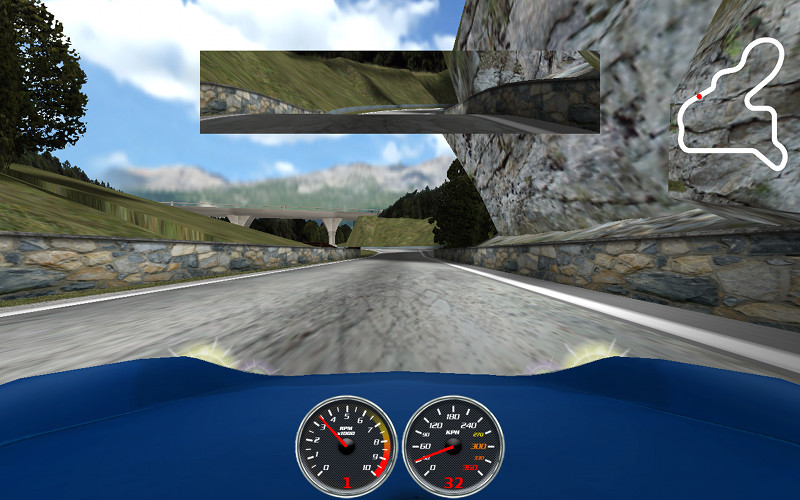
Speed Dreams is a fork of the famous open racing car simulator Torcs, aiming to implement exciting new features, cars, tracks and AI opponents to make a more enjoyable game for the player, as well as constantly improving visual and physics realism.
In other words, Speed Dreams is the place:
- where developers can try their ideas and have every chance to get them released to the end-users (democracy is the main principle ruling the dev team),
- where end-users can enjoy the completion of these ideas and give their opinion about it, and/or make new suggestions.
So, if you find your or some people's Torcs patch proposals don't integrate the official release as quickly as you would have loved, you have reached the right place!
Anyone can join the development team, contributions to Speed Dreams may take place in many domains:
- The core code itself, and its numerous subjects : user interface, physics engine, 3D graphics engine, race management, input device related code, file formats, ... to enhance, optimize, make more up-to-date, fix bugs, port to another platform ...
- the robot(s) code (AI racing)
- the cars design or tuning
- the tracks design
- the documentation
Current features of Speed-Dreams as of 2.0 beta:
- 38 tracks
- 16 tracks with full scenery and terrain
- 28 cars
- Animated drivers with some cars
- 10 camera modes
- Close to realistic physics
- Experimental full 3D physics engine (user selectable)
- Supported input devices: Keyboard, Wheel, Joystick, Mouse, Gamepad
- Customizable controls
- Automatic shifting, ABS, ASR
- 2 completely different AI opponent sets, Simplix and USR