Can we afford some actual makeup artists, who will turn our actors into
some jaw dropping visual effects characters who are covered with gore, blood, bolts,
cables, jelly or whatever is required?
Or can we do that all digitally?
The basic idea for digtal makeup is easy, as long as you do not think
about it too long. Just have a digital double, track the head, body,
limbs or whatever, apply the textures, props or clothes to that digital
version of your actor and composite it over the actual footage of your
actor. Here’s an example from Sebastian König:
Digital Makeup in Blender from Sebastian König on Vimeo.
Second Face Deform Test from Sebastian König on Vimeo.
As seen in the example Sebastian used object markers for tracking various points on his face, but doing it this way can lead to problems with tracking when a character makes turns a certain way, or has hair in there face, or even a fast movement could mess up the tracking. There will soon be another method added for tracking that will address this issue. We don’t have a kind of tracking called planar tracking yet, but our awesome
libmv developer Keir Mierle has something in the pipeline called “affine
tracking”, which might help in this case. So with some luck we can do
digital makeup without object-tracking.
Showing posts with label OpenSource Video Editor. Show all posts
Showing posts with label OpenSource Video Editor. Show all posts
Intro to New Blender Features
The release of Blender 2.61 is a pretty big milestone with some really impressive new features that will likely draw in a torrent of new users. The feature that long time blender users are most appreciative for would have to be the new Cycles render engine. The feature that will most likely draw new users would have to be the motion tracking, which let's users put 3d objects in movies.

In this tutorial from Andrew Price of Blender Guru you will discover:
A small 10 second example
A quick run through of setting up motion tracking. In this video the ground has already been mapped and the object is getting mapped.
 The other new features for blender 2.61 include ocean simulation, dynamic paint, camera sensor size and presets, 3D mouse color wheel editing, and more translations to other languages. New Addons in this release are an Adobe After Effects exporter, an Acclaim and C3D motion capture importers. Not to mention the 108 bug fixes and improved methods for new developers to make addons.
Blender is a free and Open Source Software get it at www.blender.org/get-blender/
Release notes for Blender 2.61 http://www.blender.org/development/release-logs/blender-261/
Demo files to that open in Blender's to try the new features http://www.blender.org/development/release-logs/blender-261/blender-261-demo-files/
Cycles Render Engine
Before Blender 2.61 when rendering a 3d scene that was indoors or most scenes for that matter, the render lacked certain light elements that left the scene looking blan and not real. With the Cycles render engine the lighting is handled completely differently and it shows as the renders are allot more realistic. Another feature of cycles is that it features OpenCL and will use graphics cards for rendering where possible.
In this tutorial from Andrew Price of Blender Guru you will discover:
- The difference between the internal renderer and Cycles
- Some of the cool features of Cycles
- How to create your very first Cycles render
- Using lights, materials, textures and bump mapping
- How he made the donut scene
Motion Tracking
Blender as a video editor is a pretty powerful tool, and with the new motion tracking features things just got serious. Mixing people into 3d scenes had been doable for a long while now, but with motion tracking we can now put 3d objects into movies.A small 10 second example
A quick run through of setting up motion tracking. In this video the ground has already been mapped and the object is getting mapped.
 The other new features for blender 2.61 include ocean simulation, dynamic paint, camera sensor size and presets, 3D mouse color wheel editing, and more translations to other languages. New Addons in this release are an Adobe After Effects exporter, an Acclaim and C3D motion capture importers. Not to mention the 108 bug fixes and improved methods for new developers to make addons.
Blender is a free and Open Source Software get it at www.blender.org/get-blender/
Release notes for Blender 2.61 http://www.blender.org/development/release-logs/blender-261/
Demo files to that open in Blender's to try the new features http://www.blender.org/development/release-logs/blender-261/blender-261-demo-files/
Openshot Video Editor
Openshot is a free and Open Source video editor. It is really easy to use and has lots of great features that are also easily used. Such as the 3d title animations, they are really simple to setup, just fill out a little wizard and hit render. To create the 3d title animations Openshot uses scripts that are controlled by the easy to use wizard and aimed at an installed copy of Blender.
Screenshot of the 3d title animation wizard

Dream. Create. Share. Video editing on Linux has never been easier or more fun. If you create an awesome video with OpenShot, please share it with us. And remember to tag your videos with the word "openshot" on YouTube so others can discover them.
Here is a little video I put together with Openshot
Video Editing pt1 Basics
Been learning and using Cinelerra for about a a year and am determined to keep on getting better at using the program. Cinelerra is the most advanced non-linear video editor and compositor for Linux. Got an example video for a test made playing with a webcam.
Before we move to part 2 where we use the compositor like in the video above I always like to brush up on my basics. The two videos below demonstrate the user interface, how to add files and other things. These videos aren't by me but from part 2 and on out I'll be doing the tutorial videos.
For people who want a more USER FRIENDLY video editor should check out Openshot.
OpenShot 1.2 Highlights from Jonathan Thomas on Vimeo.

OpenShot can take your videos, photos, and music files and help you create the film you have always dreamed of. Easily add sub-titles, transitions, and effects, and then export your film to DVD, YouTube, Vimeo, Xbox 360, and many other common formats.
Another honorable mention for Open Source Video Editor would be KdenLive. Kden's usability is between cinelerra and openshot, as such it is powerful if patience is applied, but can also be quick and easy to use. kde-files.org has transition images and other extras worth checking out.
Before we move to part 2 where we use the compositor like in the video above I always like to brush up on my basics. The two videos below demonstrate the user interface, how to add files and other things. These videos aren't by me but from part 2 and on out I'll be doing the tutorial videos.
For people who want a more USER FRIENDLY video editor should check out Openshot.
OpenShot 1.2 Highlights from Jonathan Thomas on Vimeo.

Simple. Powerful.
OpenShot Video Editor is a free, open-source video editor for Linux licensed under the GPL version 3.0.OpenShot can take your videos, photos, and music files and help you create the film you have always dreamed of. Easily add sub-titles, transitions, and effects, and then export your film to DVD, YouTube, Vimeo, Xbox 360, and many other common formats.
Another honorable mention for Open Source Video Editor would be KdenLive. Kden's usability is between cinelerra and openshot, as such it is powerful if patience is applied, but can also be quick and easy to use. kde-files.org has transition images and other extras worth checking out.
VLC Movie Creater
VideoLAN CLient should need no introduction, but will share some of it's features for those who don't know. VLC is a media player, it plays just about every video and audio format that anyone would come across. Not only does it play media but if it can read it then it can change it in to another file type, or can be set-up as a media server accessible with all kinds of devices from pc to mobile.
Not only that but this Open Source Project was initially released February 1 2001. It is so rock solid and stable that it has been licensed by several companies for use in commercial projects. Google Video (their embedded player) is a VLC plugin in your browser.
So now as someone who knows about the power of VLC or has been using it for years, it is only natural to be excited to hear that the developer have announced are currently developing a non-linear video editor. Which of course should be user friendly.
It is now at a point in it's development where it needs the community to use the software and report bugs. At the time of writing VLMC 0.1.0 is available for Linux, Mac, and Windows. while at this stage just remember that there is gonna be bugs, but that doesn't mean if you don't saving often( after every edit being paranoid LOL) a video can be made.

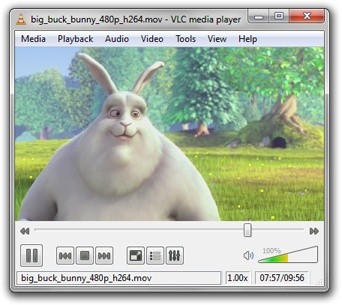 |
| Big Buck Bunny |
- Simple, Powerful and Fast
- Plays everything, Files, Discs and Streams
- No codec packs needed
- Completely Free
- 0 Spyware, Ads or User Tracking
- Media Converter and Streamer
- Windows, Linux, Mac, Unix
Not only that but this Open Source Project was initially released February 1 2001. It is so rock solid and stable that it has been licensed by several companies for use in commercial projects. Google Video (their embedded player) is a VLC plugin in your browser.
So now as someone who knows about the power of VLC or has been using it for years, it is only natural to be excited to hear that the developer have announced are currently developing a non-linear video editor. Which of course should be user friendly.
It is now at a point in it's development where it needs the community to use the software and report bugs. At the time of writing VLMC 0.1.0 is available for Linux, Mac, and Windows. while at this stage just remember that there is gonna be bugs, but that doesn't mean if you don't saving often( after every edit being paranoid LOL) a video can be made.

Blender is Amazing

Currently under a major overhaul the application has tons of new features, and has even made it's way into Hollywood. Have read that it was used in the production of one of the Lord of the Rings films, and don't doubt it.
Here is production from the Blender Foundation.
"Sintel" is an independently produced short film, initiated by the Blender Foundation as a means to further improve and validate the free/open source 3D creation suite Blender. With initial funding provided by 1000s of donations via the internet community, it has again proven to be a viable development model for both open 3D technology as for independent animation film.This 15 minute film has been realized in the studio of the Amsterdam Blender Institute, by an international team of artists and developers. In addition to that, several crucial technical and creative targets have been realized online, by developers and artists and teams all over the world.
For a detailed list of features check out Blender's website,
Blender is easy to install, has a relatively small installation size, and runs on several popular computing platforms, including Linux, Mac OS X, and Microsoft Windows, along with FreeBSD, IRIX, NetBSD, OpenBSD and Solaris. Unofficial ports are also available for AmigaOS 4, BeOS, MorphOS , Pocket PC and SkyOS. Though it is often distributed without documentation or extensive example scenes, the software contains features that are characteristic of high-end modeling software. Among its capabilities are:
- Basic non-linear video/audio editing and compositing capabilities.
- Support for a variety of geometric primitives, including polygon meshes, fast subdivision surface modeling, Bezier curves, NURBS surfaces, metaballs, digital sculpting, and outline fonts.
- Versatile internal rendering capabilities and integration with YafaRay, a Free Software ray tracer.
- Keyframed animation tools including inverse kinematics, armature (skeletal), hook, curve and lattice-based deformations, shape keys (morphing), non-linear animation, constraints, vertex weighting, soft body dynamics including mesh collision detection, LBM fluid dynamics, Bullet rigid body dynamics, particle-based hair, and a particle system with collision detection.
- Modifiers to apply non-destructive effects.
- Python scripting for tool creation and prototyping, game logic, importing and exporting from other formats such as OBJ, FBX, DXF, COLLADA, task automation and custom tools.
- Game Blender, a sub-project, offers interactivity features such as collision detection, dynamics engine, and programmable logic. It also allows the creation of stand-alone, real-time applications ranging from architectural visualization to video game construction.
- A fully-integrated node-based compositor within the rendering pipeline
Subscribe to:
Posts (Atom)