Showing posts with label Video. Show all posts

Ubuntu - Mark Shuttleworth Keynote Speech

    Ubuntu is one of the most popular versions of Linux on desktops and laptops, and soon to be in your tv, phone, and who knows what else. Development of Ubuntu is led by Canonical, Ltd. a company owned by Ubuntu's "self-appointed benevolent dictator for life, South African entrepreneur Mark Shuttleworth. Canonical generates revenue through the sale of technical support and services related to Ubuntu, and since version 12.10, by displaying advertisements in Unity Dash, the default file manager in the standard desktop version of Ubuntu. According to Canonical, the Ubuntu project is committed to the principles of free software development; people are encouraged to use free software, improve it, and distribute it

    Ubuntu is a fork of the Debian project's codebase. The original aim of the Ubuntu developers was to create an easy-to-use Linux desktop, which has led to a large user base as well as helping people new to Linux switch over. On a side note Windows users can install Ubuntu right in Windows, Ubuntu will install into Windows as an application that will give users access to all the great and Open Source Software that only runs on Linux without having to leave Windows.

    Mark Shuttleworth Keynote from Ubuntu Developers Summit. Mark covers topics such as Steam coming to Linux, Ubuntu desktop for Android and What to expect on the server side.


Get Ubuntu: http://www.ubuntu.com/
Learn and Get Help With and Ubuntu: https://help.ubuntu.com/community
Develop for Ubuntu: http://developer.ubuntu.com/

LinuxMCE

    LinuxMCE (Linux Media Center Edition) is a free and open source software platform with a 10-foot user interface designed to allow a computer to act as a home theater PC (HTPC) for the living-room TV, personal video recorder, and home automation system. It allows control of everything in the home, from lighting and climate to surveillance cameras and home security. It also includes a full-featured VoIP-compatible phone system with support for video conferencing. The distribution it runs on is Kubuntu Linux.


Digital Makeup with Blender

    Can we afford some actual makeup artists, who will turn our actors into some jaw dropping visual effects characters who are covered with gore, blood, bolts, cables, jelly or whatever is required?
Or can we do that all digitally?

     The basic idea for digtal makeup is easy, as long as you do not think about it too long. Just have a digital double, track the head, body, limbs or whatever, apply the textures, props or clothes to that digital version of your actor and composite it over the actual footage of your actor. Here’s an example from Sebastian König:

Digital Makeup in Blender from Sebastian König on Vimeo.


Second Face Deform Test from Sebastian König on Vimeo.


     As seen in the example Sebastian used object markers for tracking various points on his face, but doing it this way can lead to problems with tracking when a character makes turns a certain way, or has hair in there face, or even a fast movement could mess up the tracking. There will soon be another method added for tracking that will address this issue. We don’t have a kind of tracking called planar tracking yet, but our awesome libmv developer Keir Mierle has something in the pipeline called “affine tracking”, which might help in this case. So with some luck we can do digital makeup without object-tracking.

Intro to New Blender Features

    The release of Blender 2.61 is a pretty big milestone with some really impressive new features that will likely draw in a torrent of new users. The feature that long time blender users are most appreciative for would have to be the new Cycles render engine. The feature that will most likely draw new users would have to be the motion tracking, which let's users put 3d objects in movies.

Cycles Render Engine
     Before Blender 2.61 when rendering a 3d scene that was indoors or most scenes for that matter, the render lacked certain light elements that left the scene looking blan and not real. With the Cycles render engine the lighting is handled completely differently and it shows as the renders are allot more realistic. Another feature of cycles is that it features OpenCL and will use graphics cards for rendering where possible.


In this tutorial from Andrew Price of Blender Guru you will discover:

  • The difference between the internal renderer and Cycles
  • Some of the cool features of Cycles
  • How to create your very first Cycles render
  • Using lights, materials, textures and bump mapping
  • How he made the donut scene


Motion Tracking
    Blender as a video editor is a pretty powerful tool, and with the new motion tracking features things just got serious. Mixing people into 3d scenes had been doable for a long while now, but with motion tracking we can now put 3d objects into movies.

A small 10 second example


A quick run through of setting up motion tracking. In this video the ground has already been mapped and the object is getting mapped.


    The other new features for blender 2.61 include ocean simulation, dynamic paint, camera sensor size and presets, 3D mouse color wheel editing, and more translations to other languages. New Addons in this release are an Adobe After Effects exporter, an Acclaim and C3D motion capture importers. Not to mention the 108 bug fixes and improved methods for new developers to make addons.

Blender is a free and Open Source Software get it at www.blender.org/get-blender/
Release notes for Blender 2.61 http://www.blender.org/development/release-logs/blender-261/
Demo files to that open in Blender's to try the new features  http://www.blender.org/development/release-logs/blender-261/blender-261-demo-files/

Openshot Video Editor

    Openshot is a free and Open Source video editor. It is really easy to use and has lots of great features that are also easily used. Such as the 3d title animations, they are really simple to setup, just fill out a little wizard and hit render. To create the 3d title animations Openshot uses scripts that are controlled by the easy to use wizard and aimed at an installed copy of Blender.

Screenshot of the 3d title animation wizard


    Dream. Create. Share. Video editing on Linux has never been easier or more fun. If you create an awesome video with OpenShot, please share it with us. And remember to tag your videos with the word "openshot" on YouTube so others can discover them.

Here is a little video I put together with Openshot

Video Editing pt1 Basics

    Been learning and using Cinelerra for about a a year and am determined to keep on getting better at using the program. Cinelerra is the most advanced non-linear video editor and compositor for Linux. Got an example video for a test made playing with a webcam.


    Before we move to part 2 where we use the compositor like in the video above I always like to brush up on my basics. The two videos below demonstrate the user interface, how to add files and other things. These videos aren't by me but from part 2 and on out I'll be doing the tutorial videos.


    For people who want a more USER FRIENDLY video editor should check out Openshot.


OpenShot 1.2 Highlights from Jonathan Thomas on Vimeo.


Simple. Powerful.

OpenShot Video Editor is a free, open-source video editor for Linux licensed under the GPL version 3.0.

     OpenShot can take your videos, photos, and music files and help you create the film you have always dreamed of. Easily add sub-titles, transitions, and effects, and then export your film to DVD, YouTube, Vimeo, Xbox 360, and many other common formats.

   Another honorable mention for Open Source Video Editor would be KdenLive. Kden's usability is between cinelerra and openshot, as such it is powerful if patience is applied, but can also be quick and easy to use. kde-files.org has transition images and other extras worth checking out.

27 Blender Creations

    A long time user of Blender and writer at BlenderArtist has put together a web page with animations created with Blender by the community over the years. Watching them should inspire everyone to keep creating awesome videos cause Blender just keeps improving and has a feature set that is to long to list. My favorite video of the bunch is directed by Junichi Yamamoto and is called Memory. 


    Link to 27 inspirational and jaw dropping Blender videos @ BlenderGuru.com

VLC Movie Creater

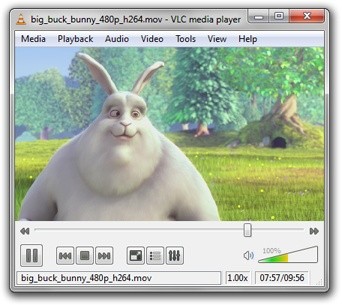
    VideoLAN CLient should need no introduction, but will share some of it's features for those who don't know. VLC is a media player, it plays just about every video and audio format that anyone would come across. Not only does it play media but if it can read it then it can change it in to another file type, or can be set-up as a media server accessible with all kinds of devices from pc to mobile.
Big Buck Bunny
  • Simple, Powerful and Fast
  • Plays everything, Files, Discs and Streams
  • No codec packs needed
  • Completely Free
  • 0 Spyware, Ads or User Tracking
  • Media Converter and Streamer
  • Windows, Linux, Mac, Unix
The media player that fulfills all your needs. It handles DVDs, (S)VCDs, Audio CDs, web streams, TV cards and much more. With VLC, there is no need to continually update many different codec packs. VLC comes with nearly every codec built in! And whats more, VLC can play back your files, even if the media is damaged! Missing or broken pieces wont stop VLC. All the video and audio information that remains can be played.

    Not only that but this Open Source Project was initially released February 1 2001. It is so rock solid and stable that it has been licensed by several companies for use in commercial projects. Google Video (their embedded player) is a VLC plugin in your browser.

    So now as someone who knows about the power of VLC or has been using it for years, it is only natural to be excited to hear that the developer have announced are currently developing a non-linear video editor. Which of course should be user friendly.

    It is now at a point in it's development where it needs the community to use the software and report bugs. At the time of writing VLMC 0.1.0 is available for Linux, Mac, and Windows. while at this stage just remember that there is gonna be bugs, but that doesn't mean if you don't saving often( after every edit being paranoid LOL) a video can be made.

OpenShot

    OpenShot Video Editor is an open-source, non-linear video editor for Linux, built with Python, GTK, and the MLT Framework. The project was started in August 2008 by Jonathan Thomas, with the objective to provide a stable, free, and friendly to use video editor.

    OpenShot has many amazing features, a couple of the latest features are the option to upload the project to the internet and 3d animated text. Users can upload there finished product to Vimeoh and Youtube. The 3d text comes from accessing Blender (3d modelling program) though python scripts. The animations to choose from are excellent and customisable. More will come as more users find out, create their own and share them with the community.


3D Animated Titles in OpenShot! from Jonathan Thomas on Vimeo.
(out now)

Features quoted from the site:

OpenShot 1.2 Highlights from Jonathan Thomas on Vimeo.

     Expect many more posts on OpenShot, seeing as the owner of this blog is a developer for the OpenShot Video Editor at Launchpad.net This software is being used for creating Anime Music Videos on Linux. For some AMV goto AMV Relish

    This blog was created in order to keep track of the Open Source Software that is useful to me, and hopefully to the readers. :)