Showing posts with label Productive. Show all posts

Concrete5 a concrete CMS


    Heard about Concrete5 in a podcast from twit.tv called Floss Weekly [ FLOSS Weekly 239 ]. Am currently using Podax on Android to retrieve and listen to my podcasts and gPodder on my desktop to manage the shows I want. That's a hole other topic though so let's get back to how awesome Concrete5 is, and how they have successfully utilized Open Source and Creative Commons as the basis for their business model.

    Concrete5 is a content management system that is free and open source, made for marketing but built for geeks. Concrete5 was designed for ease of use, for users with minimum technical skill can still make beautiful pages. It enables users to edit site content directly from the page. It provides version management for every page, similar to wiki software, so any edits can be viewed and reverted back to, also allows users to edit images through an embedded editor on the page.

VirtualBox

    So there is that unstable, or just released program that you have just got to try and don't got a spare machine to try it out on, or don't want to risk damaging your main system. Well why not try that program out in a VirtualBox.

    VirtualBox lets users install operating systems inside their current OS. The main OS is the Host, and the other OS's are called the Guest. Users can run many systems at one time with VirtualBox, in fact allot of servers run hundreds of VirtualBox images at one time, all day everyday.

    To get started using VirtualBox Windows can go to VirtualBox Downloads and install the right package for their system. Linux users can install VirtualBox-OSE (Open Source Edition) from their respective package manager.

To add the oracle maintained repository and install VirtualBox using a Debian based Linux distro (Ubuntu, Mint), copy paste this command into a terminal:

sudo sh -c "echo 'deb http://download.virtualbox.org/virtualbox/debian '$(lsb_release -cs)' contrib non-free' > /etc/apt/sources.list.d/virtualbox.list" && wget -q http://download.virtualbox.org/virtualbox/debian/oracle_vbox.asc -O- | sudo apt-key add - && sudo apt-get update && sudo apt-get install virtualbox-4.1 dkms

    After installing VirtualBox you'll want to install an OS (operating system) to it. I recommend a lightweight Linux distro such as Xbuntu or Lubuntu. Download either of those ISOs and then launch VirtualBox, click new and point it to the ISO. After that it's just a matter of following all the on screen prompts to get the system up and running.


    When testing out software in the VirtualBox you'll probably want to open it up to the internet. Was having an issue with this, as every time it was tested to see if it was broadcasting on the internet there was an error, which ended up being a loop back error in the router ( trying to go out to the net and back in).


    What did work for me was changing the adapter setting on the machine to Bridged Adapter  then go into the setting of the guest OS and change the IP to a static IP. Open up the ports on the router and the VM should be broadcasting. Again I had an issue and couldn't test that it was working from home, had to actually leave and go to another location to verify it worked (router loopback error).


    It's kinda hard to remember the IP addresses, that and they are constantly changing unless it is a static IP, so to access the VM use NO-IP. They provide 3 free host names for your IP addressing needs, making it much easier to share your VM on the internet.

ownCloud - Your Own Personal Cloud

    There are tons of free cloud web services out there such as Google Drive, Ubuntu One, and iCloud from apple all offering 5 gigabytes of space which is perfect for keeping those really important files backed up. What about pricing though, how much is it for 50 gigabytes or 100 gigabytes?

    Google Drive is asking $2.50 a month for 25 gigabytes, $5.00 a month for 100 gigabytes, and $50 a month for 1 terabyte. Ubuntu One works a little differently if you buy 1 song from the music store they give you 20 gigabytes for free for 6 months then charge you $4.00 a month. Apple's iCloud is charging $3.25 for 10 gigabytes of storage.

Ubuntu - Mark Shuttleworth Keynote Speech

    Ubuntu is one of the most popular versions of Linux on desktops and laptops, and soon to be in your tv, phone, and who knows what else. Development of Ubuntu is led by Canonical, Ltd. a company owned by Ubuntu's "self-appointed benevolent dictator for life, South African entrepreneur Mark Shuttleworth. Canonical generates revenue through the sale of technical support and services related to Ubuntu, and since version 12.10, by displaying advertisements in Unity Dash, the default file manager in the standard desktop version of Ubuntu. According to Canonical, the Ubuntu project is committed to the principles of free software development; people are encouraged to use free software, improve it, and distribute it

    Ubuntu is a fork of the Debian project's codebase. The original aim of the Ubuntu developers was to create an easy-to-use Linux desktop, which has led to a large user base as well as helping people new to Linux switch over. On a side note Windows users can install Ubuntu right in Windows, Ubuntu will install into Windows as an application that will give users access to all the great and Open Source Software that only runs on Linux without having to leave Windows.

    Mark Shuttleworth Keynote from Ubuntu Developers Summit. Mark covers topics such as Steam coming to Linux, Ubuntu desktop for Android and What to expect on the server side.


Get Ubuntu: http://www.ubuntu.com/
Learn and Get Help With and Ubuntu: https://help.ubuntu.com/community
Develop for Ubuntu: http://developer.ubuntu.com/

Cyclos On-Line Banking System

    With the recent crash of the economy in Greece the people have come up with a new cashless Euro-free currency.  Rawstory: Greece develops cashless, Euro-free currency in tight economy

They were able to do this with the help of Open Source Software by a group called STRO (Social TRade Organisations). STRO’s objective is to move money as a major steering mechanism in society from causing environmental abuse and preventing many poor to optimise their capacities, to become an instrument that serves a qualitative human development. The first STRO was founded in 1970 in Holland.


STRO picks up the challenge described by Bank of England’s governor Mervyn King:
“Is it possible that advances in technology will mean that (...) the world may come to resemble a pure exchange economy? Electronic transactions in real time hold out that possibility. There is no reason, in principle, why final settlements could not be carried out by the private sector without the need for clearing through the central bank. (...) There is no conceptual obstacle to the idea that two individuals engaged in a transaction could settle by a transfer of wealth from one electronic account to another in real time. (...) The same system could match demands and supplies of financial assets, determine prices and make settlements. Financial assets and real goods and services would be priced in terms of a unit of account. Final settlement could be made without any recourse to the central bank.(...) Without such a role in settlements, central banks, in their present form, would no longer exist; nor would money.”


http://www.activistpost.com/2012/04/greek-town-develops-bartering-system.html

Visit http://project.cyclos.org/ to check out all the features of this Open Source project.

Android - Daily Money

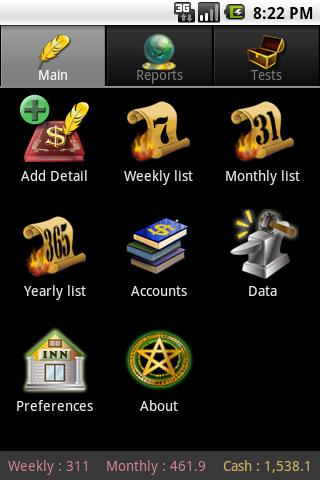
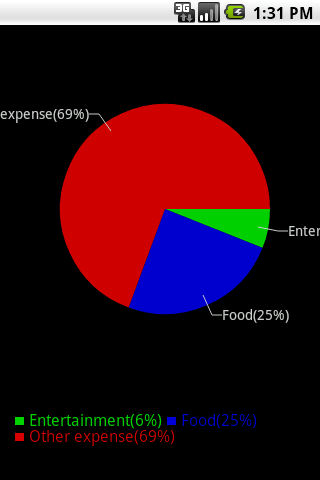
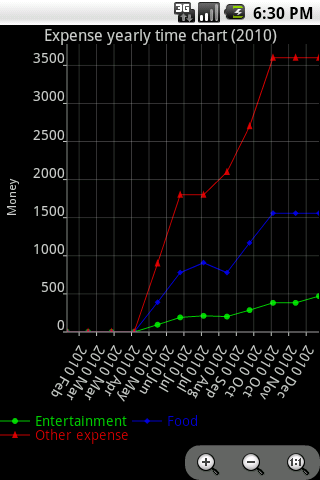
    There is a great open source money managing program for Android devices called Daily Money. With Daily Money you can balance multiple books and currencies as well as view pie charts and time charts, and of course, import and export existing records from other software.

    Daily Money has a lot of good options like being able to choose the folder the program saves its' info to, and being able to changing the default layout.


To make a long story short Daily Money is easy, useful, able to be customized and consistent.

Find it on the google market @
https://play.google.com/store/apps/details?id=com.bottleworks.dailymoney
and developers can get the code @ http://code.google.com/p/daily-money/

    If your a Linux user and running the KDE desktop, checkout Scrooge. Scrooge can be installed as a module from KDE Extragear, or through most distributions package manager. Skrooge is a personal finances manager for KDE4, aiming at being simple and intuitive, worth checking out.

MyPaint

    A friend has a laptop that is like a tablet, the screen rotates around and sits on the keyboard. There is pencil like pointing device that is pressure sensitive. First thing that came to mind was PAINTING, and there's an Open Source tool for that. Surprised?

    MyPaint is a fast and easy open-source graphics application for digital painters. It lets you focus on the art instead of the program. You work on your canvas with minimum distractions, bringing up the interface only when you need it. MyPaint runs on GNU/Linux as well as Windows

    Instead of explaining all the cool features and power of MyPaint lets just look at some screenshots and finished paintings.

This is a screenshot of MyPaint running in Ubuntu 11

This screenshot is taken in an older version of Linux
Screenshot of adjusting some brush settings in MyPaint

Another screenshot taken in Linux

Instead of listing the technical aspects of MyPaint let's look at some finished paintings. These are found at deviantart http://mypaint.deviantart.com/gallery/.


    For Windows users MyPaint is available at MyPaint, there are also extra brushes and a gimp plugin for download. There is a tutorial for people who've never used MyPaint, Basic Usage Tutorial. After going through the basic usage tutorial check out the wiki to learn more advanced tricks MyPaint Wiki.

    See MyPaint in action with a timelapse. This was posted in 2009.
Kristen Stewart, portrait in MyPaint approximately 1 hour into lees than 10 min

Screenwriting Software

    Screenwriting software helps the user with creating, and organizing projects which can include but are not limited to screenplays, films, videos, stageplays, audio plays, documentaries, machinima, comics, games and podcasts.

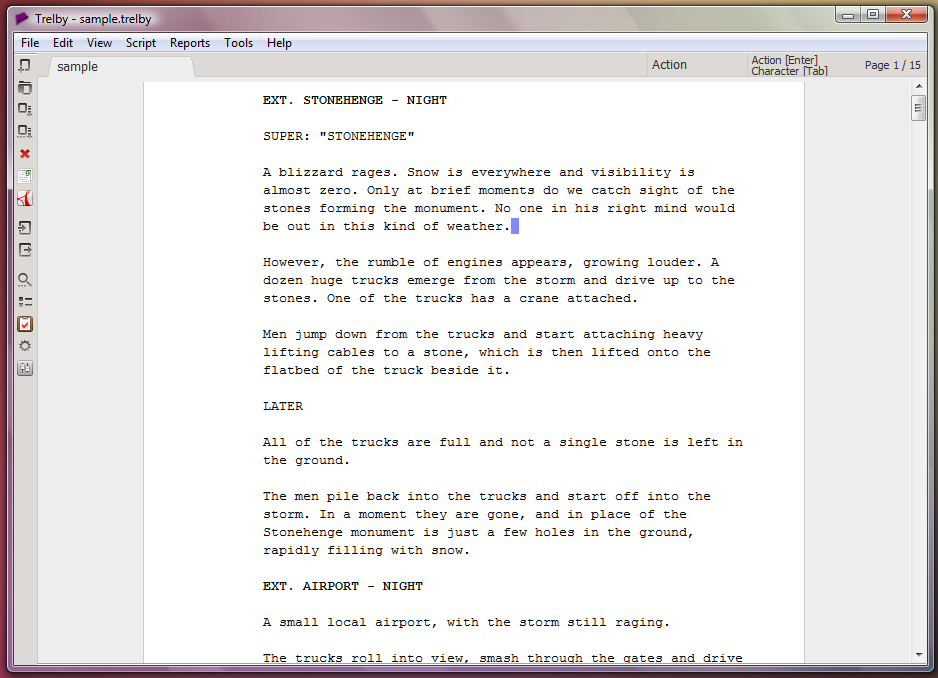
  One of the best open source screenwriting programs would have to be Trelby. Trelby focuses on providing a simple, uncluttered interface to writing screenplays. It is a rebranding of an older screenwriting program called Blyte. It currently runs on the Windows and Linux platforms, with a Mac OS X port in the works.

    Blyte was a commercial screenwriting program written by Osku Salerma in 2003, and was maintained as such until 2006, then the code was open sourced under the GPL license and not found until 2011.

Features of Trelby


  • Screenplay editor: Enforces correct script format and pagination, auto-completion, and spell checking.
  • Multiplatform : Behaves identically on all platforms, generating the exact same output.
  • Choice of view: Multiple views, including draft view, WYSIWYG mode, and fullscreen to suit your writing style.
  • Name database: Character name database containing over 200,000 names from various countries.
  • Reporting: Scene/location/character/dialogue reports.
  • Compare: Ability to compare scripts, so you know what changed between versions.
  • Import: Formatted text, Final Draft XML (.fdx).
  • Export: PDF, formatted text, HTML, RTF, Final Draft XML (.fdx).
  • PDF: Built-in, highly configurable PDF generator. Supports embedding your chosen font.
    Another piece of open source screenwriting software is Celtx. Celtx helps you produce all types of media  film, video, documentary, theatre, novels, machinima, comics, advertising, video games, music video, radio, podcasts, and however else you choose to tell your story.

Celtx includes five dedicated industry standard editors for writing:
  • Screenplay
  • Stageplay - International and US standard
  • AV scripts - including documentaries, music videos and advertising.
  • Audio Play - including radio plays and podcasts.
  • Comic Book
Novel

   Celtx is a great program with a good wiki, and is a good example of a profitable open source model. The code, program, and tutorials are free but Celtx offers a service worth paying for that doesn't effect the use of the program if a user doesn't pay. The payment is for online sharing and storage features.

    Celtx offers a web service called Celtx Studios for advanced project collaboration and online file storage. Celtx Studios provides users with a way to work with others online in a simple way and improve the collaboration and workflow process.
  • Share projects quickly and easily.
  • Store every project, every version, and every file.
  • Manage team workflow.
  • Sync scripts with your iPad/iPhone.
  • Access projects from any computer.
  • Privately preview projects on the web.
  • Chat online with other Studio members.
  • Personalize your studio with logos and backgrounds.
  • Celtx Studios are priced to be affordable for everyone - including individuals, production teams, schools, and non-profits.


    As this article is about screenwriting software, Trelby would have to be the best choice. For those that are not writing a play or novel Celtx is great for  all sorts of multimedia projects and would recommend it to anyone that is creative, it is a good program for keeping your thoughts organized.

jME3 and Android Java 3D Game Development

    The open source community is always providing an amazing array of useful software. It also has great set of tools to work with. I'll introduce you to a combination of a couple tools that I'm using for 3d game development.

    jMonkeyEngine (jME) is a game engine made especially for modern 3D development, as it uses shader technology extensively. jMonkeyEngine is written purely in Java and uses LWJGL as its default renderer.OpenGL 2 through OpenGL 4 is fully supported.

    jMonkeyEngine is a community-centric open source project released under the new BSD license. It is used by several commercial game studios and educational institutions. The default jMonkeyEngine 3 download comes readily integrated with an advanced SDK that makes it more like a studio.
    By itself, jMonkeyEngine is a collection of libraries, making it a low-level game development tool. Coupled with an IDE like the official jMonkeyEngine 3 SDK it becomes a higher level game development environment with multiple graphical components.

Here is a Demo reel of jME from early 2011


    Using Blender3d you can save models with textures, animations, particles and more as a blend file then open them in the jME3 SDK and drop them into your game. On top of all that jME3 will compile to an android install package, if you point it to the android sdk. 

    Another piece of free and open source software in jME3 is the Nifty GUI. Below is a video demonstration of some of Nifty GUI's features. More on jME3 to come soon.


    One thing is for sure, it wouldn't be 3d with out Blender. Blender is a free and open-source 3D computer graphics software product used for creating animated films, visual effects, interactive 3D applications or video games. Blender's features include 3D modelingUV unwrappingtexturingrigging and skinning, fluid and smoke simulation, particle simulation, animatingrenderingvideo editing and compositing.

Here is a Demo reel of Blender made in 2011


    Blender has so many features it is more like a studio of software it's just amazing what it can do. Being Open Source and free there is a huge community of users helping noobs! Such as Andrew Price's website www.blenderguru.com where there are many in depth tutorials on using blender, plus a file that you can open in Blender and compare yours with his. There is also place to download free models such as www.blendswap.com and with creative commons licenses they can be reused and built upon.

    Blender has a physics engine and tools in place to create games without knowing any programming, which is awesome but for programmers to simple. That's where jMonkey Platform comes in.

Check out the links, get the software and have fun creat!

Linux Mint on Netbook

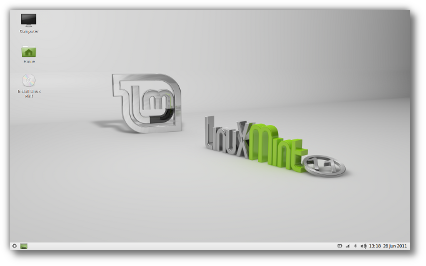
    Was searching for the best Linux OS for a netbook (acer aspire one). Only have 512MB of RAM, so needed something lightweight yet still functional as a desktop. Tried Ubuntu 11, it worked fine, and was nice on the netbook, but was a little sluggish. I know there is specific OSes for netbooks like Jolicloud, and meego, but am going for a more traditional desktop, Linux Mint has been a good distro for me in the past, and is gaining in popularity do to people not liking the Unity user interface, and being based off of Ubuntu.


    Have installed and been using Linux Mint LXDE, and it is running smoothly, with all accessories working with no hassle. The "LXDE" is a desktop GUI, that will remind users of using the old Gnome, and is aimed for systems with low resources(ie...netbooks). While there is some differences it is straight forward and any linux user should feel comfortable using it.


The System requirements for Linux Mint LXDE:
  • x86 processor - runs on Intel Atom (netbooks)
  • 256 MB RAM
  • 3 GB of disk space
  • Graphics card capable of 800×600 resolution
  • CD/DVD drive or USB port


    Currently just use the system to work on web development and keep up with the news. Use the Chromium and Firefox web browsers for pretty much everything, and have about twenty tabs open among the two and still have some free RAM, amazing!

    The Linux Mint team are currently working on version 12 of Linux Mint. Allot of users don't like Ubuntu's Unity UI, and others don't like Gnome 3. While there is still the option of KDE, which is great GUI and compilation of software, it is not for everyone. So for Linux Mint 12 they are taking Gnome 3 and making it more like Gnome 2, am excited to see how it turns out.

Web Development Tools

    Been doing allot of web development lately and would like to write about the free tools that I have been using. This article is written from a programmers prospective cover tools and methods used for designing. There is one major advantage to this over WSIWYG editors, and that is cleaner code is achievable leading to a faster web application.

    Actually have been working with ASP.NET MVC and Silverlight. They are a very powerful tool set, Silverlight is a Microsoft replacement for  Adobe's Flash Player. They have there own WYSIWYG editor that also doubles as the GUI designer for Windows 7 Phones. Again is a really great tool set for someone for a programmer, but expensive for indie or freelance developers (although Express Tools are free from Microsoft). I am working on a ASP.NET site for myself and one client, and am utilizing C# and making it a rich interactive experience with Silverlight rather then flash.

  For another client there website is hosted by a server run off a wind farm! Not relevant but cool either way. There site is hosted on a Debian GNU/Linux server and runs in PHP with mySQL databases. Am a huge fan of Debian GNU/Linux and it's derivatives like Ubuntu as they provide free alternatives to Microsoft. Apple computers and phones as well as the Androids and other things like the lottery machines at the gas station or the stock exchange all run code built on top of the Open Source GNU/Linux kernel.

The tools used for this project are:
  • Opera - Web browser with added security and extra features for users and developers.
  • FileZilla - Open Source FTP file transfer program.
  • Notepad++ - Open Source Source Code Editor and Notepad replacement.
  • Bluefish - Powerful Open Source Editor targeted towards programmers and webdesigners.
  • GIMPOpen Source GNU Image Manipulation Program.

    This site was in place already and was made with a web based Content Management System. The site is being made to look more modern and have some other content like surveys and forms. I've been using these tools along a bunch of open source PHP scripts and apps.

Must cut this short and get back to work, please return for part 2 and we'll go into more detail about the Open Source Tools. Visit the site using Open Source, software at Go Evergreen and the app that's still under construction to send E cards at E Card from Evergreen.
Go Evergeen Printing and Direct Mailing